# Shipping Rates Calculator
Depending on your store's Shopify subscription plan and the order that you're shipping, you might be eligible for discounted shipping rates from [Shopify Shipping carriers](https://help.shopify.com/en/manual/fulfillment/shopify-shipping/shipping-carriers).
{% hint style="success" %}
**Step 1** : From your Shopify admin, go to **Online Store > Themes.**
**Step 2** : Find the theme that you want to **Edit and Click Customize.**
**Step 3** : Click **Theme Settings.**
**Step 4 : Theme Settings > Shipping Rate Calculator**
{% endhint %}
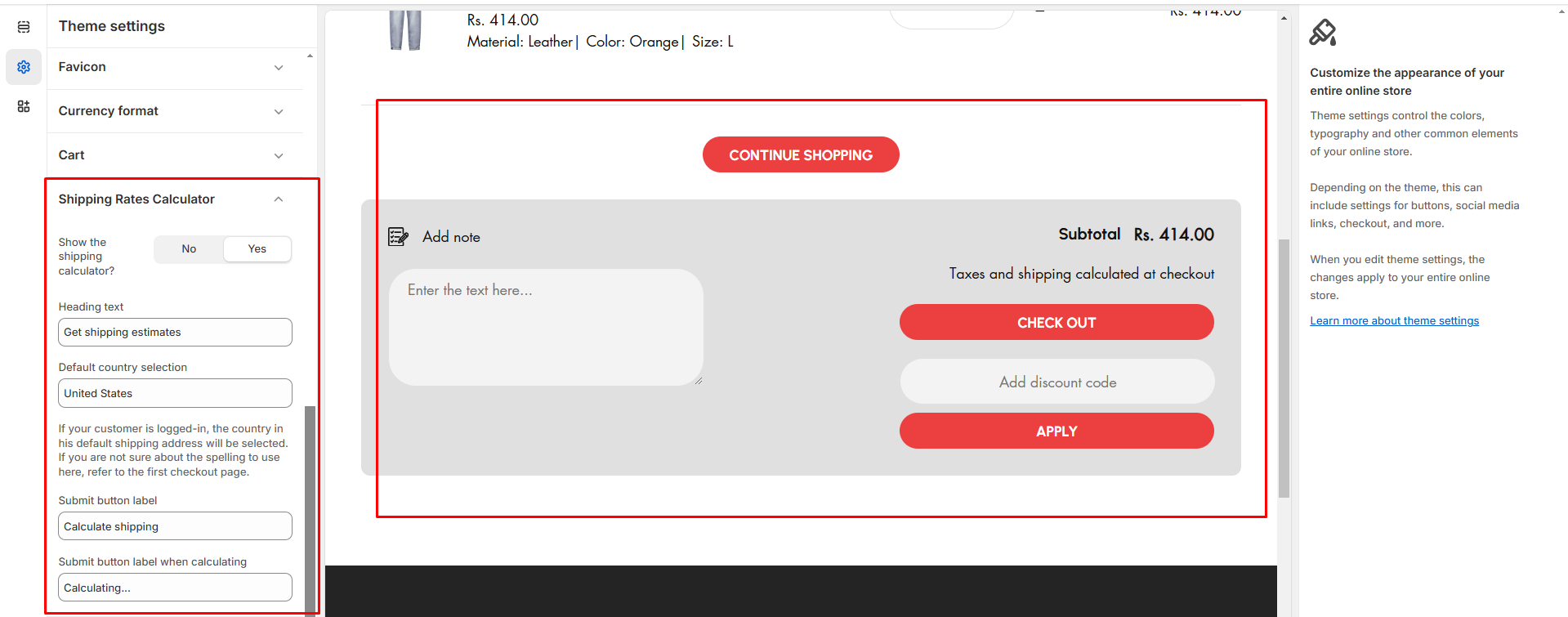
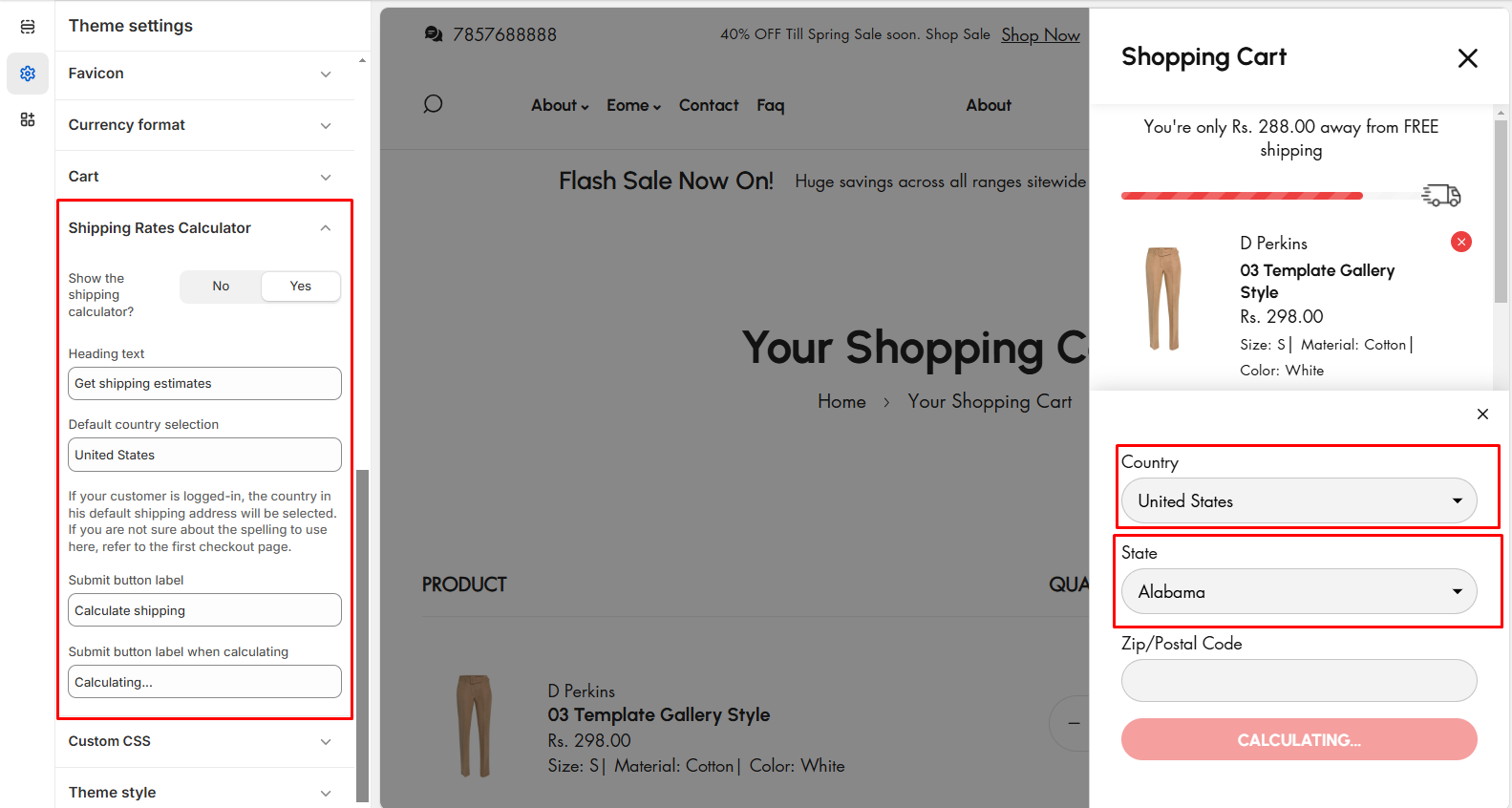
* **Show the shipping calculator:** The option allow to enable the shipping calculator in cart
* **Country selection:** The option allow to enter the default country name in shipping calculator
* **Submit button label:** This option allows you to enter a custom button label for the shipping calculator
* **Submit button label on calculating:** This option allows you to enter a custom button label for the shipping calculator on calculating process.
{% hint style="info" %}
The process is based on country which shipping charge. It works on calculating the zip code enter by the cart
{% endhint %}